![Intricare [Logo]](https://webimg.intricare.net/wp-content/uploads/2022/10/10123727/Intricare-Logo.png)
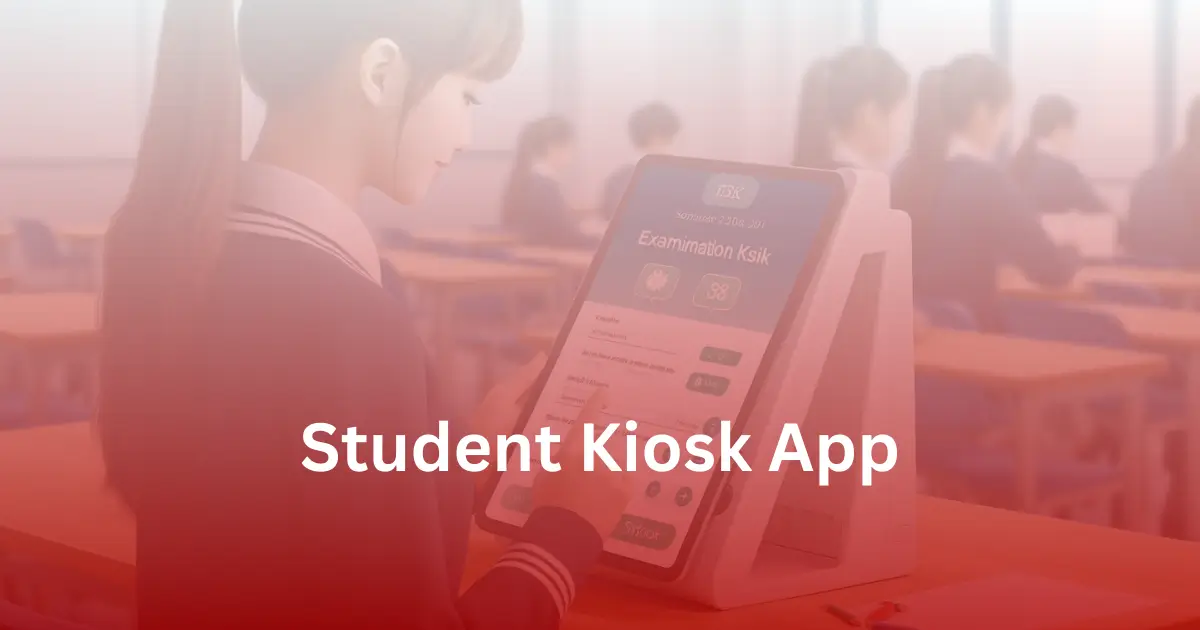
In today’s fast-evolving educational landscape, managing digital devices in learning environmentnts can be challenging. Enter the Android Student Kiosk App – a revolutionary solution tailor-made for educators and school administrators. This innovative kiosk software streamlines device management, ensuring that students stay focused on educational content and critical resources.
From restricting app usage to customizing device interfaces, the Android Student Kiosk App offers an unparalleled user experience. Download the best kiosk software today and transform the way you oversee digital learning.
Table of Contents
ToggleWhat is a Kiosk Lockdown Software?
A Kiosk Lockdown App is a specialized software that turns Android devices—like tablets or smartphones—into dedicated-use systems by restricting user access. When running in kiosk mode, the app limits device functionality to specific apps or websites, blocking all other features and settings.
These apps are commonly used in public spaces such as:
- Retail stores
- Airports
- Museums
- Healthcare centers
The main goal is to offer self-service and secure interaction, ensuring users engage only with allowed content without tampering with the device.
Why is a Student Kiosk App Important for Android Devices?
In today’s digital age, schools are increasingly looking for effective tools to manage and streamline student activities. The Student Kiosk App for android devices, particularly tablets and sm
In today’s digital classrooms, schools need reliable tools to manage how students use Android tablets and smartphones. A Student Kiosk App ensures that learners access only approved educational apps and websites—nothing else.
Key benefits of using kiosk mode on school devices:
- Restricts students to specific learning content
- Prevents access to games, social media, and settings
- Enhances digital security and focus
- Supports remote updates and monitoring
- Enables NFC-based attendance tracking via school-issued Android tablets
For example, students can tap their NFC ID card on a government-provided tablet (like Spark or Govt Tab) to mark attendance. The data is updated instantly and accessible for teachers or admins to review.
With features like app whitelisting, session lockdown, and remote configuration, this software creates a safe, distraction-free learning environment. Regular updates ensure the latest features and security protocols are always in place.
These apps are highly customizable. Schools can select specific applications, websites, or content they want students to access. This ensures flexibility in various learning setups—from regular classroom teaching to online exams and digital assessments.
With the GoKiosk Student App, government-issued tablets like Spark Tab or other Android-based devices can be deployed for:
- Classroom learning
- Secure assessments
- Attendance tracking
- Controlled research access
Consistent software updates and a centralized dashboard allow schools to maintain security, update policies, and ensure every device meets institutional standards.
artphones, is an essential solution. This application can be downloaded from google play and offers a variety of functionalities. By running in kiosk mode, the app ensures that students can only access specific apps on google play, providing a secure and controlled digital environment. The kiosk lockdown software on android devices helps in preventing unauthorized use and enhancing security.
Since the app supports remote updates, schools can always stay updated with the latest software versions and features. It enables developers to collect user data, review user activity, and actively monitor the app’s performance. The attendance kiosk feature is particularly beneficial, allowing students to touch an NFC card onto a dedicated android tablet, such as a government tab, to mark their attendance. Information on the transcript is immediately updated and can be remotely accessed for review and management purposes.
Furthermore, the ability to configure settings and select applications ensures the app’s versatility. Govt tab or govt tablets equipped with the spark kiosk app can be deployed for various educational purposes. This kiosk lockdown app is essential for maintaining a focused and distraction-free learning environment. Regular software updates guarantee that the system remains equipped with the latest features and security protocols. In 2024, efficiently turning a device to kiosk mode for educational purposes represents a best practice in school management and security.
GoKIosk provides a verity of options to manage kiosk mode on your Android smartphone or Android Tablet. From tracking attendance to using Android kiosk software to write your examination, we provide you the best experience for studies with Android operating system.