![Intricare [Logo]](https://webimg.intricare.net/wp-content/uploads/2022/10/10123727/Intricare-Logo.png)
In today’s digitally driven environment, businesses rely on mobile devices more than ever. From retail to education, healthcare to logistics, enterprise mobility is transforming workflows. But with the increase in device usage comes the need for robust device management. This is where solutions like Kiosk Lockdown and Mobile Device Management (MDM) come into play.
If you’re wondering, “What’s the difference between kiosk lockdown and MDM?” or trying to decide which one suits your business needs better, you’re in the right place. This comprehensive guide breaks down both solutions, their key features, benefits, differences, and how to choose the right one for your device strategy.
What is Android Kiosk Mode?
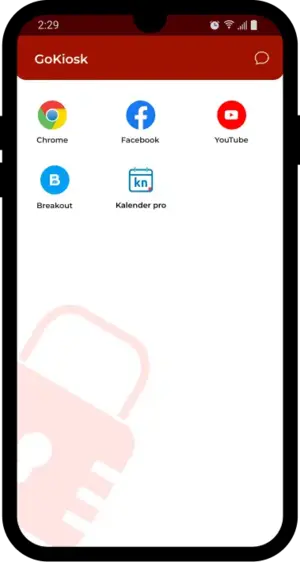
Kiosk mode refers to a mode in which a device is locked down to run only one or a set of specific apps, websites, or functionalities. This is often used in public-facing or task-oriented environments to prevent unauthorized access or misuse of the device. It is a great mobile tool that companies should invest in. It is specially available for Android phones.
Key Features of Android Kiosk Mode:
- App Whitelisting/Blacklisting – Restrict usage to specific apps only.
- Single or Multi-App Mode – Run a single application (like a POS system) or a few apps in controlled environments.
- Custom Branding & UI – Customize the home screen to match your brand.
- Web Kiosk Mode – Lock the device into a specific website or web portal.
- Peripheral Restrictions – Disable hardware features like volume buttons, USB ports, and the camera.
- Remote Management – Update and monitor devices remotely.
Ideal Use Cases for Kiosk Mode:
- Retail: Point-of-sale terminals, self-service kiosks.
- Healthcare: Patient check-in devices.
- Hospitality: Visitor registration systems.
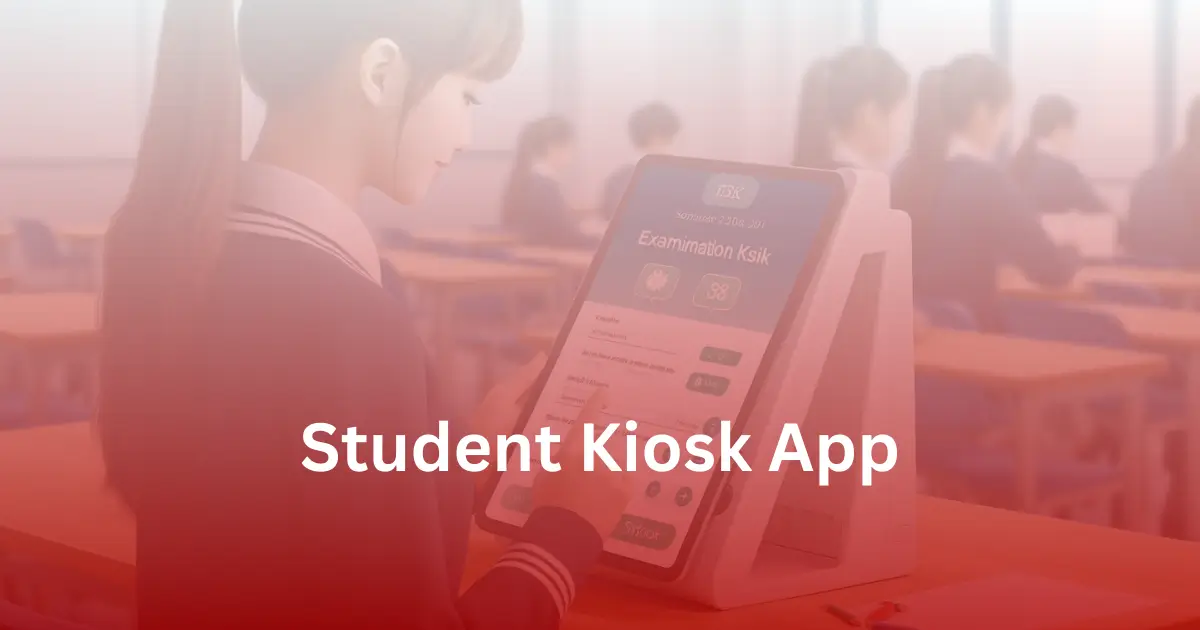
- Education: Exam or testing tablets.
Kiosk lockdown software ensures that the user cannot exit the app(s) or browse anything unrelated, providing a secure and distraction-free experience.
What is Mobile Device Management (MDM)?
Mobile Device Management (MDM) is a broader enterprise solution that lets organizations monitor, manage, and secure mobile devices used by employees or deployed across locations.
Core Features of MDM:
- Device Enrollment and Provisioning
- App Deployment and Management
- Remote Wipe and Lock
- Geofencing and Location Tracking
- Compliance Enforcement
- Security Policy Enforcement
- Asset and Inventory Management
- Remote Troubleshooting
MDM platforms support a variety of devices, including iOS, Android, Windows, and macOS, and are commonly used in BYOD (Bring Your Own Device) or COPE (Corporate-Owned, Personally Enabled) environments.
Common MDM Use Cases:
- Managing employee smartphones and tablets in large enterprises.
- Ensuring data security on remote work devices.
- Automating OS updates and application patches.
- Deploying corporate apps and content securely.
What is the need for MDM?
With MDM, IT administrators gain full control over corporate devices, ensuring that all endpoints are secure and compliant with organizational policies.
What is Mobile Device Management (MDM)?
Mobile Device Management (MDM) is a broader enterprise solution that lets organizations monitor, manage, and secure mobile devices used by employees or deployed across locations.
Core Features of MDM:
- Device Enrollment and Provisioning
- App Deployment and Management
- Remote Wipe and Lock
- Geofencing and Location Tracking
- Compliance Enforcement
- Security Policy Enforcement
- Asset and Inventory Management
- Remote Troubleshooting
MDM platforms support a variety of devices, including iOS, Android, Windows, and macOS, and are commonly used in BYOD (Bring Your Own Device) or COPE (Corporate-Owned, Personally Enabled) environments.
Common MDM Use Cases:
- Managing employee smartphones and tablets in large enterprises.
- Ensuring data security on remote work devices.
- Automating OS updates and application patches.
- Deploying corporate apps and content securely.
What is the need for MDM?
With MDM, IT administrators gain full control over corporate devices, ensuring that all endpoints are secure and compliant with organizational policies.
Kiosk Lockdown vs. MDM: The Core Differences
Although kiosk lockdown and MDM may seem similar, they cater to different use cases and levels of control. Here’s a side-by-side comparison:
Feature | Kiosk Lockdown | Mobile Device Management (MDM) |
Purpose | Restrict device usage to specific apps or websites | Full lifecycle management of mobile devices |
Target Users | Customer-facing devices or field operations | Corporate users, remote employees |
App Restriction | Yes, extremely granular | Yes, but generally less rigid |
Remote Management | Yes | Yes |
Security Features | Locks the user into a fixed environment | Policy enforcement, remote wipe, encryption |
Use Cases | Kiosks, POS, Digital Signage | BYOD, COPE, Remote Workforce |
Customization | High (UI & branding options) | Moderate |
Cost | Lower for single-purpose use | Higher, but offers broader functionality |
Which Do You Need: Kiosk Lockdown or MDM?
The answer depends on your business objectives and how you use mobile devices. Let’s explore some scenarios to help you decide.
Choose Kiosk Lockdown If:
- You need a single-purpose device like a POS terminal, information kiosk, or survey tablet.
- You want to restrict device functionality and eliminate distractions, especially for students or employees.
- You aim to enhance user experience in public settings.
- Your devices are customer-facing and require minimal functionality.
In this case, a kiosk lockdown solution offers an affordable, efficient way to secure and manage your fleet of public-use or task-based devices.
Choose MDM If:
- Your workforce uses multiple devices across different locations.
- You have a BYOD or COPE policy and need enterprise-level oversight.
- You require full lifecycle management of mobile assets.
- Security compliance and data protection are top priorities.
- You want to push apps, updates, and configurations remotely.
MDM is the better fit for larger enterprises managing employee devices and enforcing corporate policies across the board.
What is kiosk mode in MDM?
Many advanced MDM platforms offer kiosk mode as a feature. This means you don’t have to choose between the two—depending on the platform, you might get both functionalities in one solution.
For example:
- Hexnode MDM, Scalefusion, and 42Gears allow administrators to lock devices into kiosk mode while maintaining other MDM features like remote monitoring, geofencing, and security controls.
This hybrid approach is perfect for companies that deploy both employee devices and public-facing devices.
Benefits of Kiosk Lockdown Software
Let’s dive into why businesses adopt kiosk lockdown solutions for single-use device deployments:
- Enhanced Security
Kiosk lockdown eliminates unauthorized access by allowing only approved apps or URLs. This is critical in preventing misuse, data leaks, or user errors.
- Reduced IT Overhead
By restricting what users can do on the device, there’s less risk of misconfiguration, fewer support tickets, and minimal training required.
- Improved User Experience
Whether it’s a self-check-in terminal or an educational app, kiosk lockdown ensures a distraction-free, seamless experience.
- Customization Options
Many kiosk tools offer custom branding and user interfaces to match business aesthetics, which helps in improving brand consistency.
Benefits of MDM Software
MDM solutions serve as a centralized command center for managing an organization’s mobile infrastructure. Here’s how they add value:
- Device Security and Compliance
From remote lock and wipe to data encryption and policy enforcement, MDM ensures security even when devices are lost or stolen. - Remote Configuration and Management
Admins can push apps, control updates, and troubleshoot devices from a central dashboard, saving time and operational costs. - Visibility and Reporting
MDM software provides real-time device usage reports, location tracking, and app performance metrics, giving IT teams actionable insights. - Scalable Device Deployment
Whether onboarding 10 or 10,000 devices, MDM platforms streamline deployment with templates, provisioning profiles, and automation workflows.
Choosing the Right Solution: Key Questions to Ask
Before choosing between kiosk lockdown or MDM, ask yourself:
- What is the primary function of the device?
Is it used for one task or multiple applications? - Who will be using the device?
Is it a customer, a student, or an employee? - Where will the devices be deployed?
Public places need stricter lockdowns; corporate offices might need more flexibility. - What level of control and monitoring do you need?
Do you need app-only control or end-to-end device management?
What is your budget?
MDM platforms tend to be more expensive due to their broad capabilities.
Popular Tools for Kiosk Lockdown & MDM
Kiosk Lockdown Solutions:
- GoKiosk
- SureLock by 42Gears
- Scalefusion Kiosk Mode
- Kioware
MDM Platforms:
- VMware Workspace ONE
- Microsoft Intune
- IBM MaaS360
- Jamf (for Apple devices)
- MobileIron / Ivanti
- ManageEngine MDM
Final Thoughts
Choosing between kiosk lockdown and MDM depends entirely on your specific use case. If you’re deploying devices in a controlled environment like a store or classroom, kiosk lockdown software is ideal. But if your organization requires comprehensive control, enterprise security, and flexible app management, then an MDM solution is your best bet.
In many cases, businesses use both MDM to manage and secure the device fleet and kiosk mode within MDM to restrict usage where needed. It’s about finding the right balance between control, usability, and cost-efficiency.
FAQs
Yes. Most modern MDM solutions offer kiosk mode as a feature, allowing IT admins to lock devices into specific apps remotely.
Generally, yes. Kiosk solutions are more cost-effective for single-use cases, while MDM tools justify their higher cost with broader capabilities.
If your devices serve multiple roles (e.g., employees and public users), a combination of both might be optimal.